How to Collect Emails on Instagram DMs Automatically (The Safe Way)
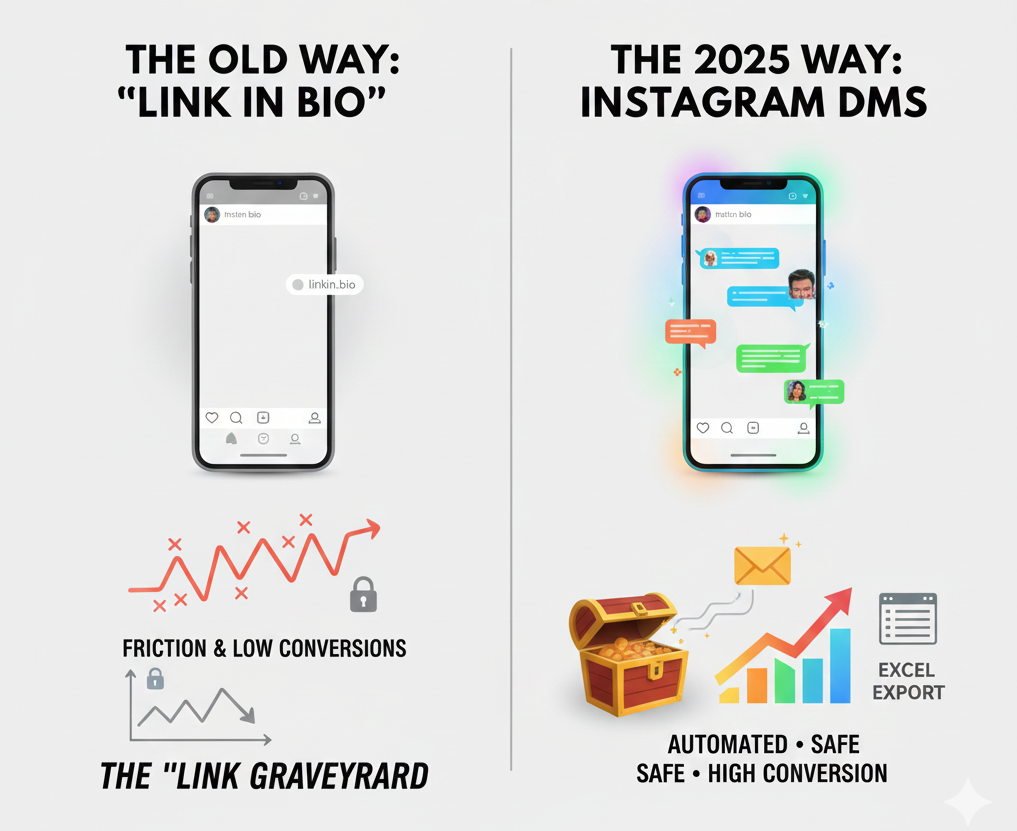
Building an email list is the single most important task for any digital creator or business owner. However, the traditional approach, plastering a “Link in Bio” and hoping people click, is becoming a relic of the past.
In 2025, the data is clear: friction kills conversions. If you want to scale your lead generation, you need to meet your followers where they already are: in the DMs.
This guide will show you how to collect emails on Instagram using official, rule-based automation that not only keeps your account safe but also converts at a rate traditional landing pages can only dream of.
The Problem: The Friction of the “Link in Bio”
When you ask a user to click your bio link, they have to navigate away from the app, potentially losing interest. Recent benchmarks show that Instagram feed engagement has shifted significantly. While public likes are down, private interactions (DMs, saves, and shares) are skyrocketing. According to research from SocialInsider, while the average engagement rate sits around 0.61%, the “hidden” engagement in DMs is where the real business happens.
The Traditional “Link in Bio” Journey:
Stop scrolling
Visit your profile
Click a link
Wait for a mobile browser to load
Manually type their email into a form
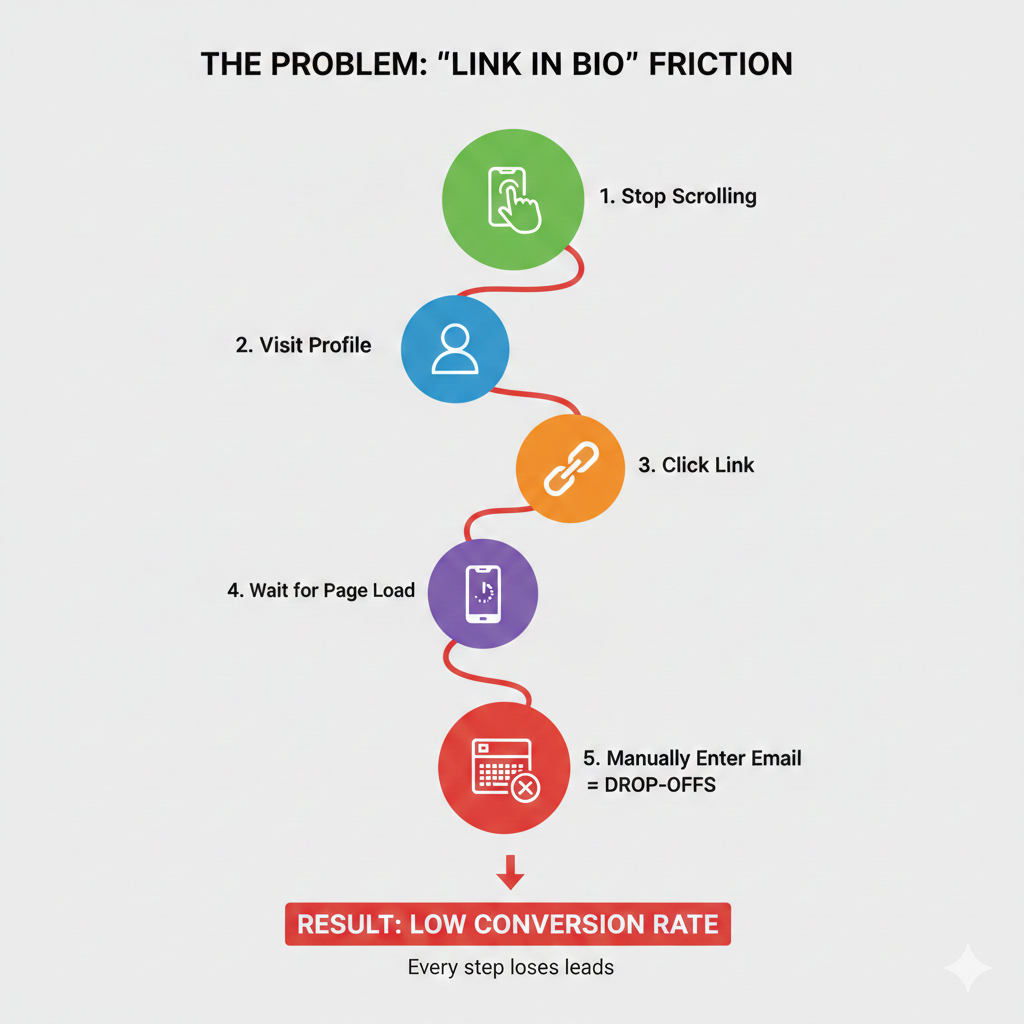
Every one of those steps is a “drop-off point.” By the time the page loads, half your leads are gone.
Why Asking for Emails in DMs Beats Scraping (and Link-in-Bio) Every Time
There are three main ways of collecting email addresses, and we will compare them all directly using the data and benchmarks collected in 2025.
1. Email scraping tools
Performance: The open rate of scraped and cold lists is between 1 and 5%, very low, and the number of spam complaints and low rates of deliverability are very high.
Risk: Scraping violates both Instagram’s Terms of Service and European privacy regulations (GDPR), and as a result, accounts will be banned quickly.
Quality: Leads collected from scraping are typically cold, outdated, and uninterested. Because of this, scraped email addresses have nearly zero conversions in the long run.
2. Traditional Link-in-Bio Opt-Ins
Conversion Rates: Bio link click-through rates average 1-3% of profile visits. Overall, Instagram conversions (including shopping) sit around 1-2% for standard journeys, with a significant drop-off when users leave the app.
Friction Points: Users must tap profile → find link → load external page → fill form. This multi-step process causes 80-90% abandonment.
Real-World Impact: Even optimized landing pages struggle, as users prefer staying inside Instagram.
3. Rule-Based DM Automation (Comment-to-DM)
Conversion Rates: Engaged commenters convert to email subscribers at 60-80%. For example, creator Stephanie Kase saw opt-in rates soar from 10-20% (link-in-bio) to 70-80% after switching to DM collection. Amy Porterfield collected thousands of leads and drove direct sales via automated DM flows.
Open Rates in DMs: Automated conversations achieve 90%+ open rates, far surpassing email benchmarks.
Why It Wins: Zero friction—everything happens natively in Instagram. Users who comment on a keyword (e.g., “GUIDE”) have already shown high intent, making them warm leads.
Additional Boost: Email marketing from opt-in lists yields an average $36 ROI for every $1 spent, with some industries hitting $45. These consented, high-quality lists drive 10-15X better performance than cold data.
DM Automation vs. Traditional Methods
|
Feature |
Traditional “Link in Bio” |
DM Automation |
| User Experience | High Friction | Seamless Conversation |
| Engagement Rate | ~0.61% (SocialInsider) | 88-90% Open Rates |
| Conversion Rate | Moderate | High (Direct Opt-in) |
| Compliance/Safety | High | High (API-driven) |
| Lead Quality | Varies | Warm & Intent-Driven |
| Response Time | Manual/Delayed | Instant |
| Cost (Setup/Maint.) | Landing page, forms | Automation tool only |
How Rule-Based Automation Works: The Comment-to-DM Strategy
The entire process of how the comment-to-DM strategy works with Rule-Based Automation can be divided into four components:
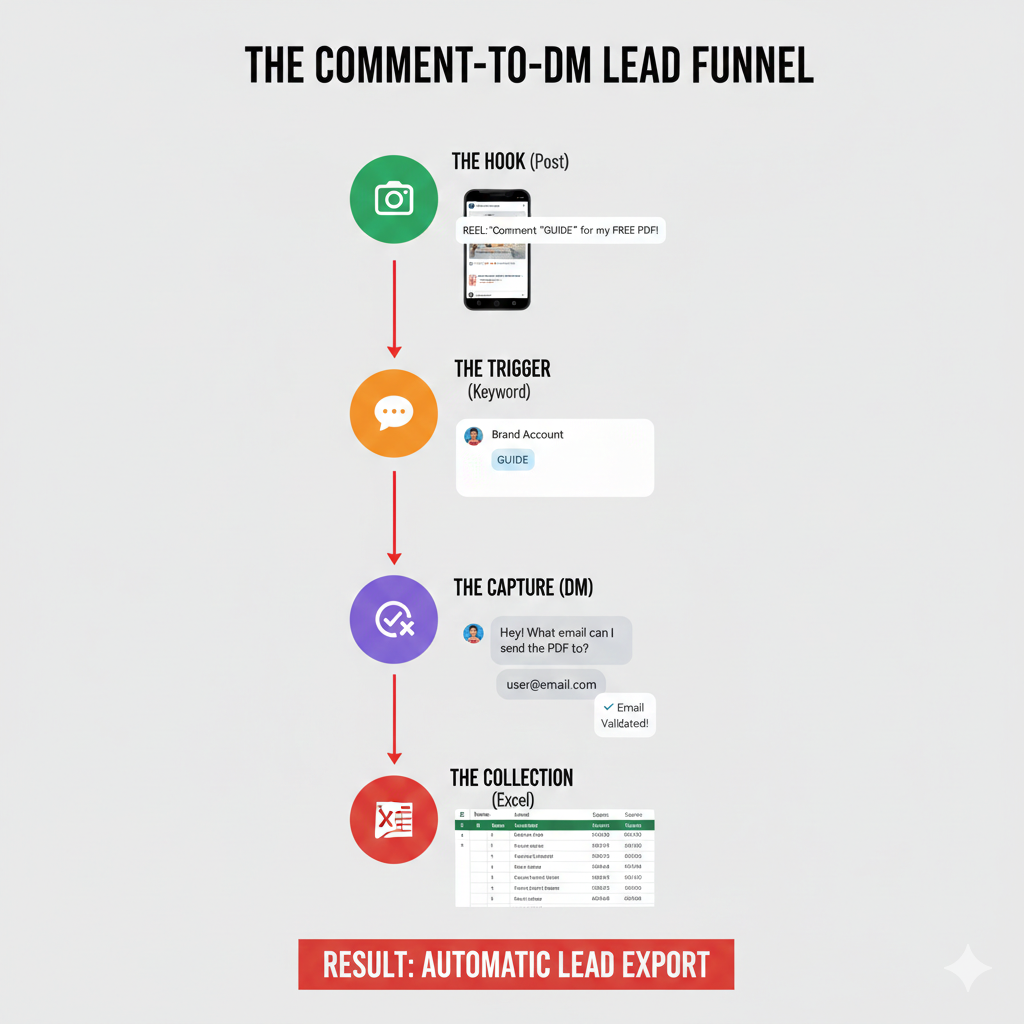
- The Hook (Your Post or Reel): Post high-quality content that encourages people to comment (this is your ‘Hook’). For example, if you have a new free 30-day plan available, make sure to tell them to leave ‘PLANNER’ in the comments section so they can get a copy.
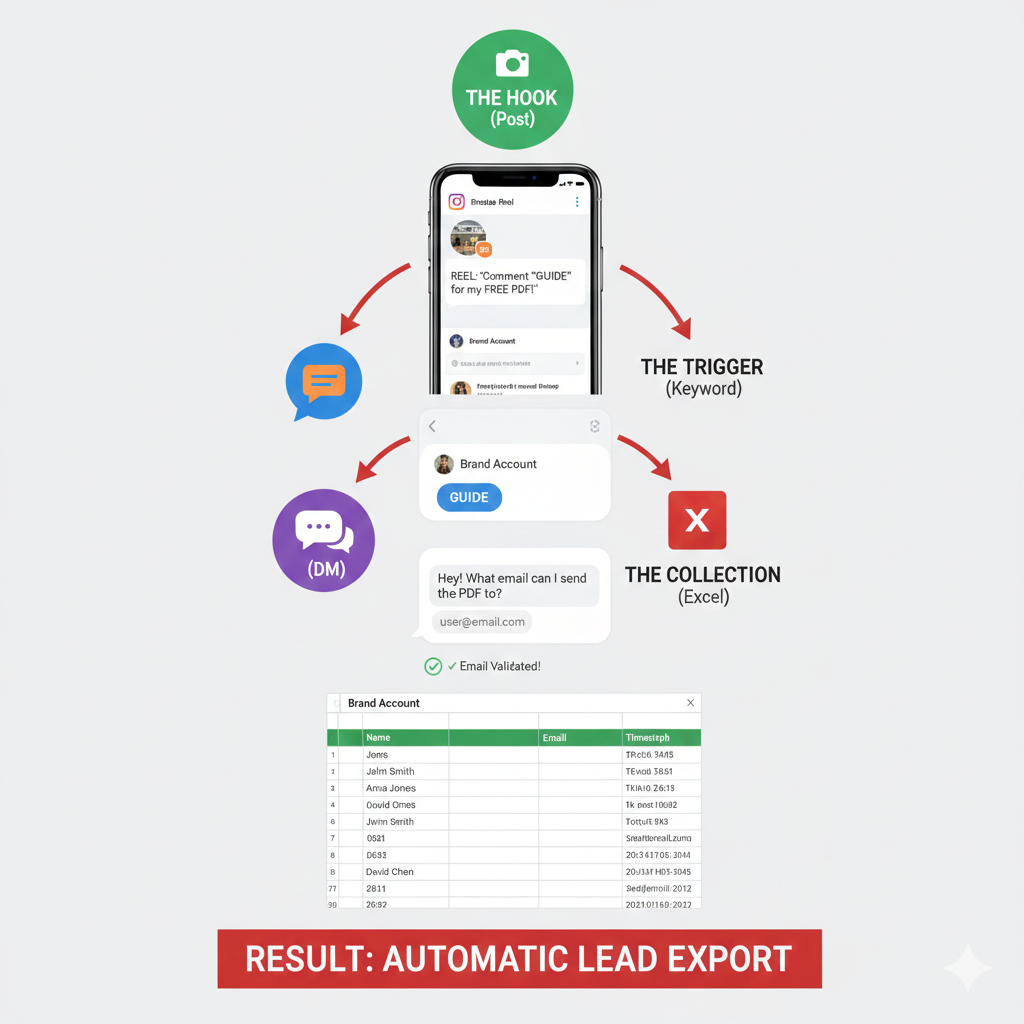
- The Trigger (Keyword Detection): Your automation solution will monitor all of your comments, looking for certain keywords. Example keywords could be ‘PLANNER’, ‘GUIDE’, or ‘VIP’.
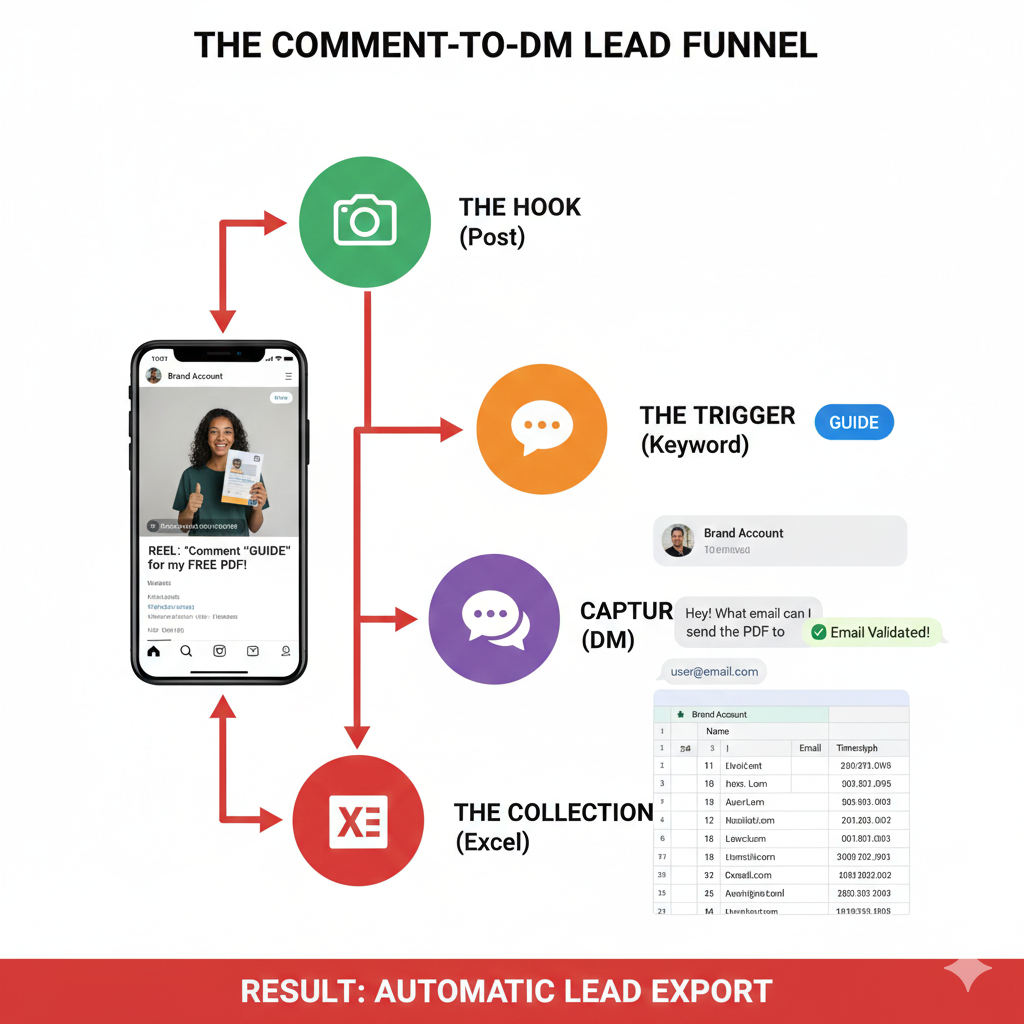
- The Capture (Automated DM): Once a comment has been made, your automation solution sends a DM to that user with the message: “Hey! I’m so excited to send you the planner. What is the best email address to send it to?” The user then responds naturally with their mailing address.
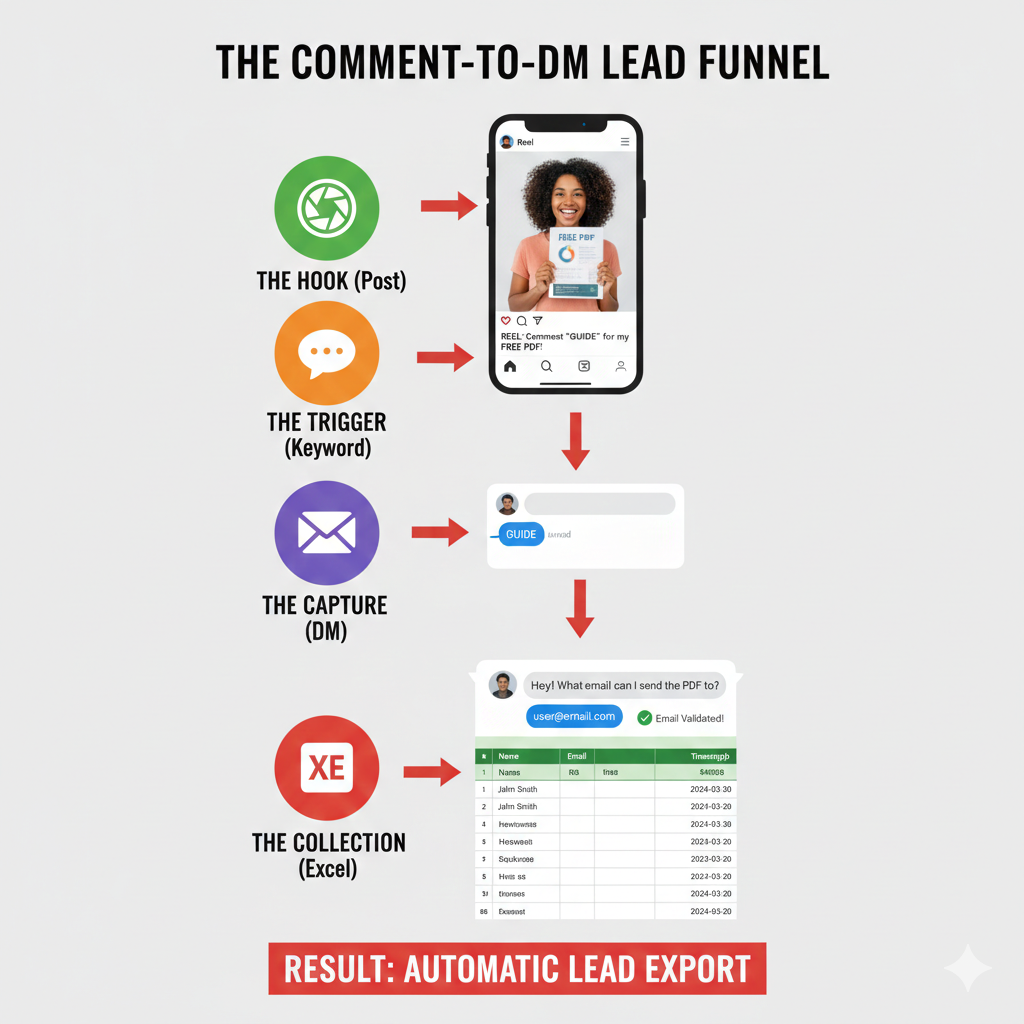
- The Collection & Export: (Turning DMs into Data)Once your followers start replying with their email addresses, the manual work ends and the automation takes over. The email isn’t just sitting in your inbox; it is being recorded in your automation dashboard in real-time.The Power of Resont: Exporting to Excel in Seconds
In Resont, you can easily export all your direct messages into a structured format. You don’t need to be a data scientist to manage your leads, the platform does the heavy lifting for you.1. Instant Bulk Export
Within your Resont dashboard, you can trigger a full export of your DMs. This gives you a comprehensive file containing usernames, the content of the messages, and timestamps.2. The “@” Filter Hack (Your 5-Second Shortcut)
Once you have your Excel file open, you can extract your email list in seconds using this simple trick:Open your Excel/CSV file.Use the Filter Tool: Highlight the column containing the message text.
Search for “@”: Use the “Contains” filter and type the “@” symbol.
The Result: Excel will instantly hide every row that isn’t an email address. Your clean, ready-to-use email list is ready to be copied into your newsletter platform!
3. Campaign-Specific Filtering
If you’ve been running multiple campaigns, you don’t want to mix your “New Customer” list with your “Free Guide” list.Export by Date: In Resont, select the specific date range of your campaign to export only the relevant leads.
Filter by Keyword: Since Resont tracks which keyword trigger started the conversation, you can sort your Excel sheet to see exactly which lead magnet (e.g., “PDF” vs. “DISCOUNT”) performed best.
Step-by-Step Guide: Setting Up Your First Email Collection Campaign
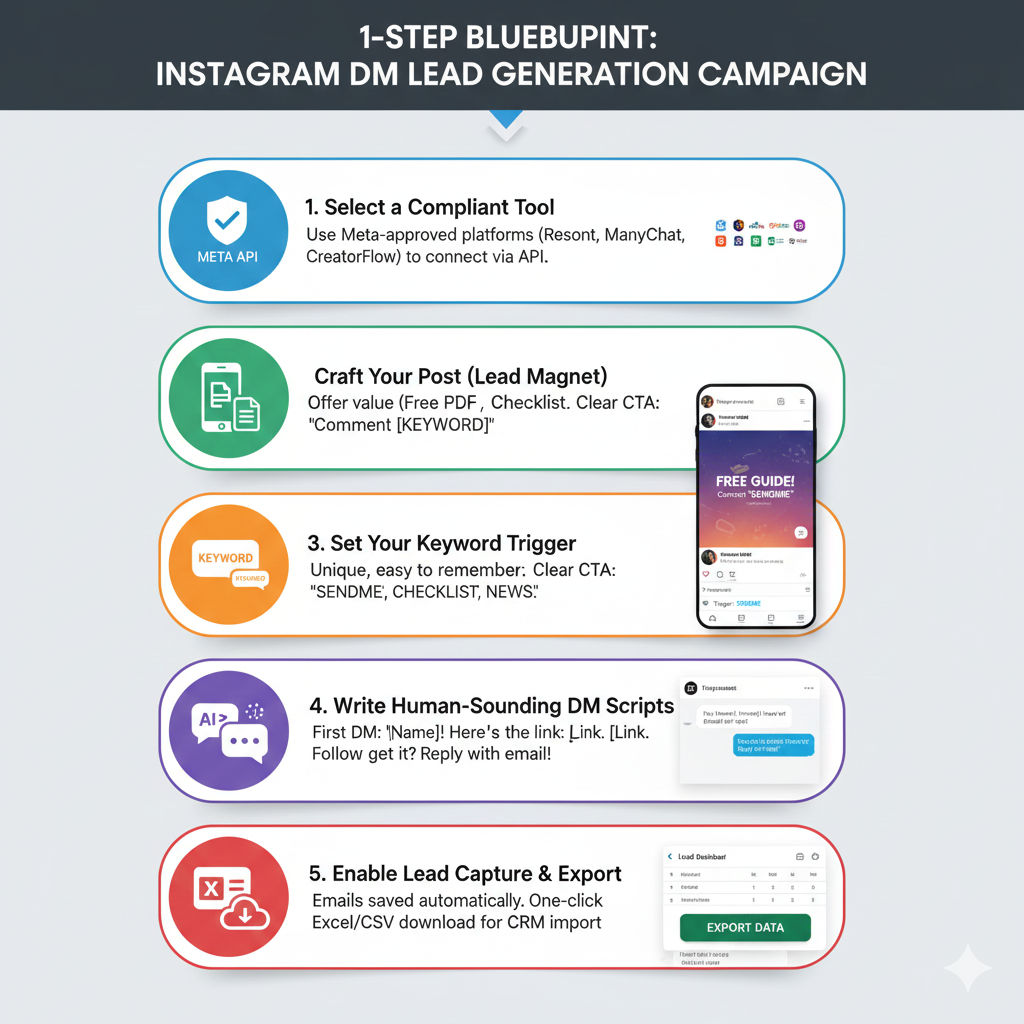
Ready to grow your email list from Instagram followers? Follow this blueprint:
1. Select a Compliant Tool
Find a tool that has Meta’s approval and has the capacity to capture leads (i.e., Resont, ManyChat, CreatorFlow, LinkDM, or Inrō). They can be automatically set up for you via Meta’s API to create campaigns.
2. Craft your post with a strong lead magnet
Provide value in your creative (promote a lead magnet such as a free PDF, checklist, or template).
Use Clear CTAs: “Message [KEYWORD] to receive your copy instantly!”
Emojis, short lines, questions, etc., will help increase comment count (you may want to shoot for about 10-20% comment count on high engagement posts).
3. Set Your Keyword Trigger
Select a trigger that’s unique and easy to remember but is also uncommon to prevent false triggers, e.g., “SENDME”, “CHECKLIST”, “NEWS”.
4. Write human-sounding DM scripts
First DM: “Hey [First Name]! Thank you for grabbing this guide. Here is the link to download now: [instant download]. To receive future tips via email, what is your email address?”
Follow-Up – If Needed: “Hi, just checking in! Did you receive the guide? Please reply with your email address, and we will send you bonus updates!”
Using AI-powered Tools with Templates Makes This Feel Like A Personal Message – Without Manually Personalizing Each Message.
5. Enable Lead Capture and Export
Once your campaign is live, you need to move those leads into your email provider (like Mailchimp, Convert Kit, or HubSpot). Most professional tools allow you to export list data as a CSV. You can then perform an Excel download to keep a backup of your leads or analyze the data for better targeting.
3 Proven Ideas to Skyrocket Email Collecting in DMs
The best way to maximize your lead generation efforts is to create a “Lead Magnet” that gives the follower an incentive to provide you with their personal information. With so many people flooding their inboxes today, simply saying “Sign up for my newsletter” won’t cut it anymore. You’ll want to ensure you provide something of instant and measurable value.
In this section, there are three proven methods for gathering email addresses via Instagram that include supporting examples illustrating the high effectiveness of these methods.
1. The Instant “Value-Bomb” (The Checklist/Template)
This is the most common and effective form of DM automation. You provide a “shortcut” to a problem your audience is currently facing. Because it’s a digital file, the delivery is instant, and the gratification for the user is immediate.
- Real-World Example (Fitness Coach):
- The Post: A Reel showing a 30-second meal prep hack.
- The Caption: “Stop guessing your macros. I created a ‘Grocery Hall of Fame’ PDF with the 50 best high-protein items at Trader Joe’s. Comment ‘SHOP‘ and I’ll DM it to you!”
- The Result: When the user comments “SHOP,” the auto reply triggers. The coach gets a warm lead, and the follower gets a useful tool they can use that same day.
- Why it works: It solves a specific pain point (what to buy at the store) with zero friction.
2. The “VIP Early Access” (The E-commerce Power Play)
E-commerce brands often struggle to grow their email list because users hate being bombarded with generic sales. The “VIP” angle changes the psychology from “being sold to” to “getting exclusive access.”
- Real-World Example (Apparel Brand):
- The Post: A high-quality carousel featuring a teaser of an upcoming limited-edition drop.
- The Caption: “Our Winter Collection drops Friday at 9 AM, but our VIP list gets the shop password 2 hours early. We usually sell out of sizes M and L in minutes. Comment ‘VIP’ to get on the early-access list!”
- The Result: The brand uses the keyword trigger “VIP” to get emails in Instagram DMs. Not only do they grow their list, but they also create a “frenzy” around the launch, ensuring a massive sales spike the moment the site opens.
- Why it works: It uses Scarcity and Exclusivity—two of the most powerful psychological drivers in marketing.
3. The “Hidden Knowledge” (The Newsletter Tease)
If you are a thought leader, consultant, or creator, your best asset is your brain. Use Instagram to show the result of your knowledge, but keep the process for your email list. This creates a “curiosity gap.”
- Real-World Example (Real Estate Agent):
- The Post: A screenshot of a “Sold” sign on a house that went for $50k over asking price.
- The Caption: “Everyone thinks the market is slowing down, but I just closed this house in 3 days using a ‘Blind-Bidding’ strategy I’ve never shared publicly. I just wrote the full breakdown for my private email circle. Comment ‘STRATEGY‘ to read the full case study.”
- The Result: This targets serious sellers. By the time the agent performs their Excel download of these leads, they have a list of people who are specifically interested in selling their homes for a premium.
- Why it works: It builds authority. You aren’t just asking for an email; you are offering a “Case Study” that proves you can get results.
Pro-Tip: The “Double-Tap” Validation
When using these ideas, always set your rule-based automation to validate the email. If a user types “myemail(at)gmail.com” or a typo, your tool should say: “Oops! That doesn’t look like a valid email. Can you type it again?” This ensures that when you finally export list data to your CRM, you aren’t paying for “dead” leads.
Conclusion
Epilogue: Stop Looking for Clicks – Start Owning Your Users
The “Link in Bio” will no longer be an effective method to engage audiences in 2025. Smart marketers understand that friction is the greatest deterrent to growth, and instead of putting their followers through “hoops” or compromising the safety of their account via questionable sources, the most prosperous brands are now meeting their audience in the places where they are already spending their time – DM’s.
Using a comment to DM strategy bolstered by rule-based automation, marketers will turn their Instagram account from an inactive gallery into a lead-generating powerhouse.
The following is a competitive advantage of this format:
- Zero Friction: Marketing in-app results in higher conversion rates as compared to traditional landing pages.
- Total Safety: Using Instagram’s API allows marketers to build an email list while remaining 100% compliant with Instagram’s terms.
- Data Ownership: Instant access to export list data into Excel, and therefore, you are creating not just a following but an asset that will not diminish in value merely because of any algorithm changes.
Rather than relying on random hope that someone will click your link, marketers can now create auto-generated conversations that will take curious followers and convert them into loyal subscribers.
FAQs
Q1: Is collecting emails from Instagram DMs safe?
Answer: Yes, as long as you use Meta-compliant automation. Unlike scraping, which is illegal and risky, rule-based automation uses the official API. This means you are operating within Instagram’s rules. You are simply automating a conversation where the user provides their email with full consent.
Q2: Can I collect emails without a website or landing page?
Answer: Absolutely. This is the primary reason creators use DM automation. You can go from a Reel to a captured email without ever owning a domain or designing a landing page. The DM is your landing page.
Q3: How do I export emails from Instagram to Excel?
Answer: Instagram does not have a native “Export” button for leads. You must use a third-party management tool. Platforms like Resont have a dedicated “Lead Manager” that captures every email shared in DMs and allows for a one-click Excel download.
Q4: Do I need Zapier to save Instagram emails?
Answer: While Zapier is great for connecting different apps, it can be expensive and complex. Many modern tools have built-in lead storage, allowing you to export list data directly from the dashboard without needing extra subscriptions.
Q5: Does this work for Personal or Creator accounts?
Answer: To use the official API and automation features, you must have an Instagram Business Account connected to a Facebook Page. This is a free switch in your settings and is required for all professional automation tools to remain compliant.