Scheduling for Multiple Instagram Accounts: The Agency Guide 2026
When you manage multiple Instagram profiles, it can often feel like you’re fighting a losing battle with chaos, the endless switching, the frustration of logging off and in, and anxiety around accidentally posting to the wrong account. In cases where you have five or more different accounts for clients, brands, or yourself, quickly running into the restrictions of the native app will leave you with frustrations as well.
Fortunately, you are no longer limited to using the mobile application alone. Instead, you can manage all your accounts from one centralized dashboard, allowing you to schedule, preview, and publish automated posts across multiple profiles. As a result, you will save yourself hours of work and eliminate many mistakes.
In this guide, we will walk through the common pain points associated with managing multiple Instagram accounts and show you how to develop an efficient workflow that meets your scaled business needs.
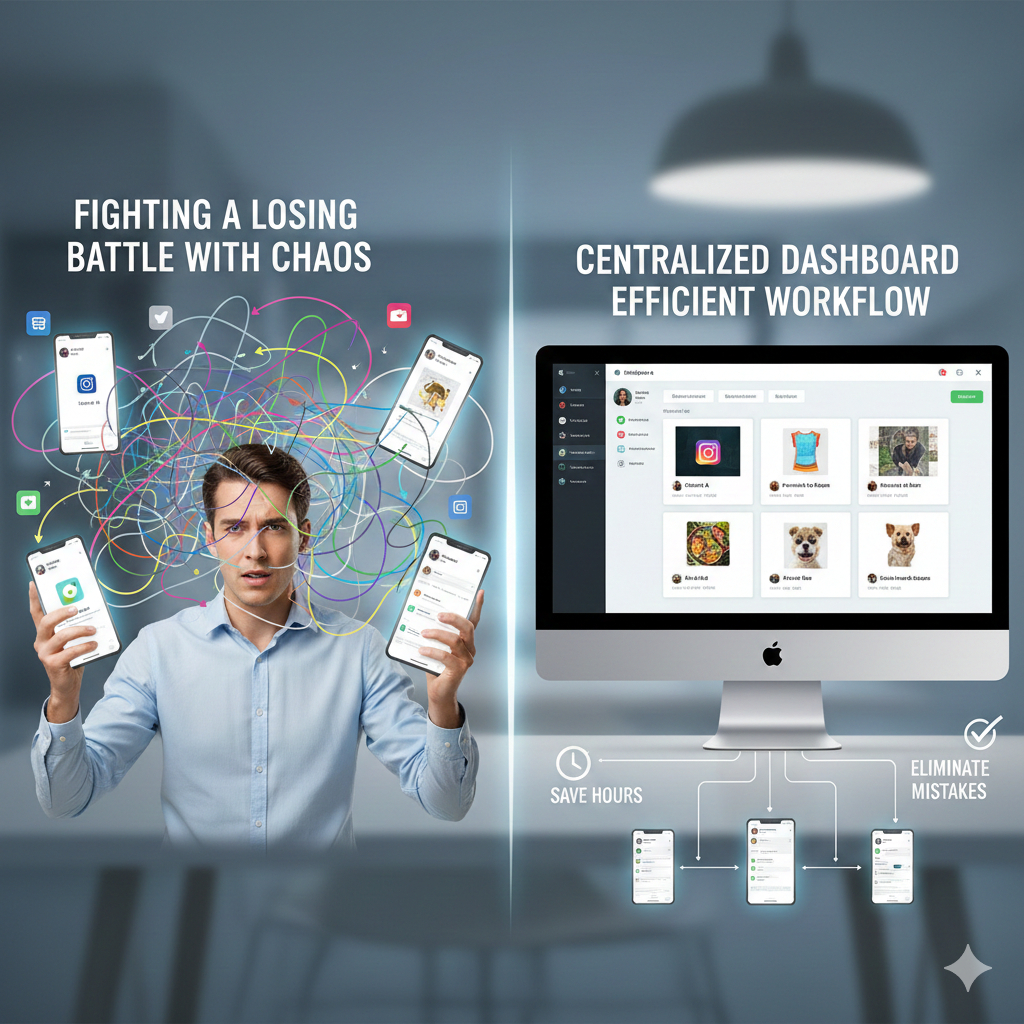
Streamline multiple Instagram profiles into one dashboard
The Pain Point: The Nightmare of Logging In/Out of 5+ Accounts on a Phone
Imagine you’re working with a fashion brand client, and you need to submit a time-sensitive Reel. You quickly flip over to that client’s account on your phone, only to realize that you uploaded it to your pet shop client’s profile by accident, and it included a clever caption about summer dresses, now it looks ridiculous on a post about a dog! Your engagement dropped, and your client has called in a panic.
The “swapped caption” disaster happens too often when managing multiple accounts. Instagram restricts you to five logged-in accounts on each device. If you have more than five, then you have to log in and out of Instagram constantly, which creates multiple issues: wasting time and triggering Instagram’s security system. Consequently, you’ll receive verification prompts and temporary access restrictions as a result.
Switching between multiple accounts creates a greater opportunity to receive login security warnings (for example, by location or device) and an increase in alerts from suspicious activity.
To effectively manage or scale an Agency or Brand, using only the native application will not work. You must use a Professional tool that centralizes all activities.
The Promise: Within this Guide, you will learn how to: Centralize your Schedule, Keep your Brand Consistent, and Provide Engagement Security from one Secure Dashboard.

Avoid “swapped caption” disasters and security warnings with a secure dashboard
Why Meta Business Suite Isn’t Enough
Meta Business Suite is a powerful tool, particularly for Facebook and Instagram integration, and it offers solid features for individual or small-scale brand management. But when you’re dealing with 5+ Instagram accounts, its limitations quickly surface.
While the native application offers basic connectivity, it presents several significant hurdles for professional workflows:
-
Lack of Unified View: While multiple profiles can be connected, there is no single “Centralized Dashboard” to see everything at once.
-
Fragmented Planning: You cannot view scheduled content for all accounts in one glanceable calendar or planner.
-
Complex Campaign Management: Managing cross-posting and multi-brand campaigns becomes a daunting, manual task.
-
Loss of Control: The fragmented perspective makes it difficult to maintain a high-level overview of your social media strategy.
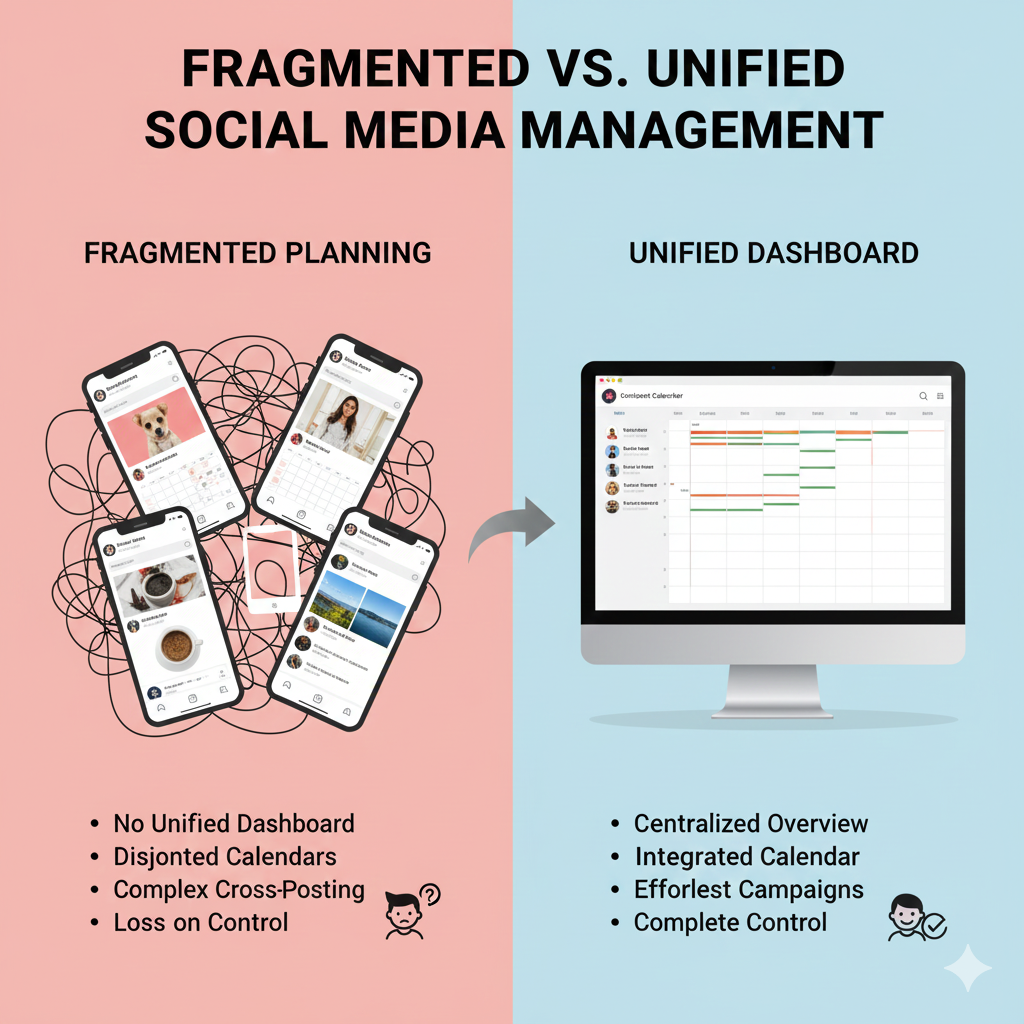
Moving from fragmented account views to a centralized content planner
4 Key Features You Need for Multiple Instagram Accounts Scheduling
The top tools do much more than post directly to social networks. Find tools that will:
1. Centralize Everything
Move from client to client, whether it’s a pet shop or a clothing company, with just one click. There’s no need to log in and trigger additional security. Resont is a great resource that allows you to switch accounts very easily using official API connections.
2. Create Batches of Content and Schedule Them All at Once
Upload multiple media items for multiple accounts and schedule a week’s worth of posts in just a few minutes. Batching your content in this manner increases efficiency, as well as consistency in your posting schedule.
3. Time Zone Management
Are you managing multiple global brands? Resont allows you to create independent time zone settings to ensure that your posts go live at peak hours for each region.
4. Saved Captions & Hashtag Groups
You don’t have to remember to retype your hashtags multiple times. You can save your own groups (e.g., #SummerVibes for one client and #Pet Lovers for another) and insert them with one click. Resont does an excellent job of keeping your hashtags organized and making it easy to create posts.
Why You Should Avoid Unofficial Apps
Avoid using any app that requires you to enter your Instagram username and password or is an emulator that allows you to “log in” through them to access your account. Many of these non-official applications can get flagged by Meta, leading to account suspensions or bans from Instagram altogether.
The Best Way To Use Instagram With A Safe Tool: Use an application like Resont that connects directly through Instagram’s official API. Using these applications keeps you in compliance with Meta’s terms of service and protects your account over time.
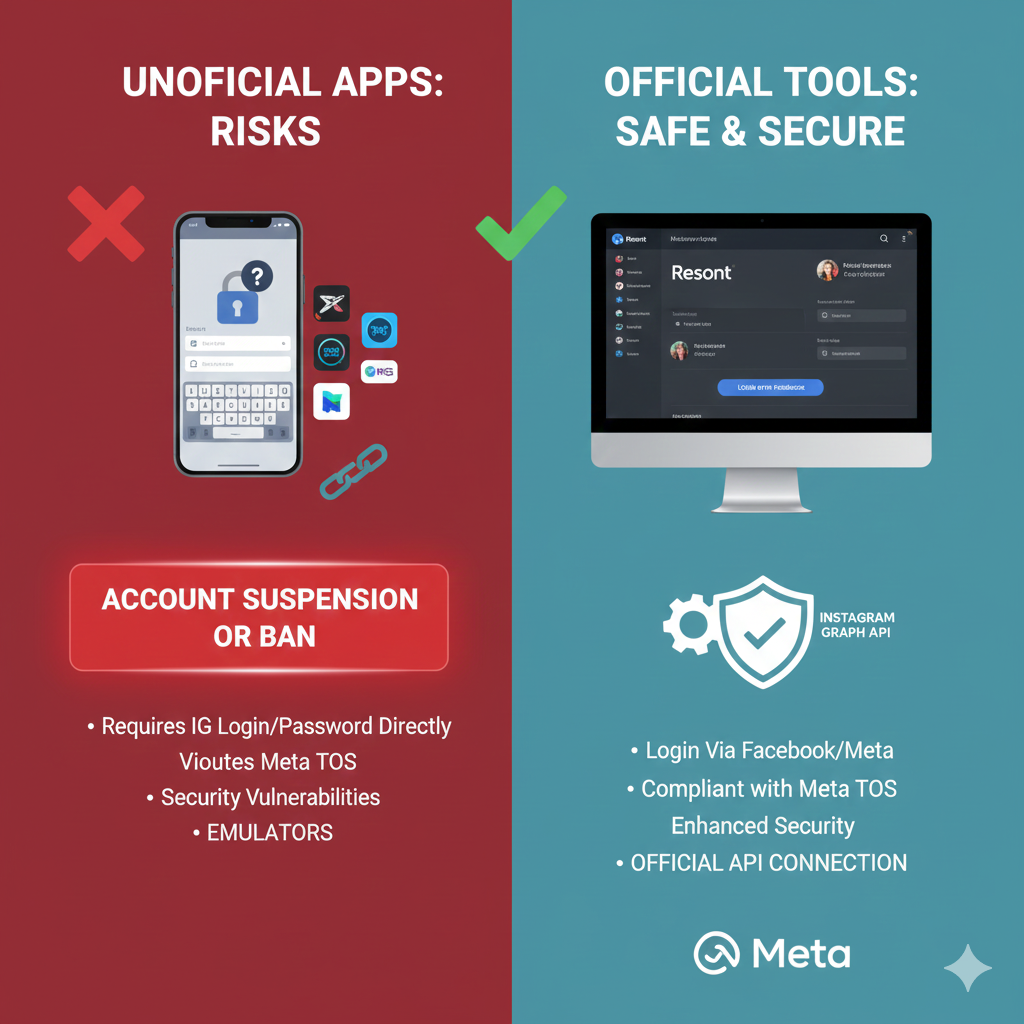
Protect your account: Use tools that connect via official Meta APIs to avoid bans
Step-by-Step: Building Your Multi-Account Calendar on Resont
Getting started with Resont is straightforward, designed to get you scheduling for multiple Instagram accounts quickly:
Connect Your Accounts: Log in via official Instagram credentials, secure and API-approved.
Switch to Unified Dashboard: View all accounts at a glance or toggle with one click.
Plan Your Content Calendar: Drag-and-drop posts into a shared or per-account grid view for perfect aesthetic alignment.
Batch Upload & Schedule: Add media, captions, hashtags, and set auto-publish times (including per-account time zones).
Tag for Campaigns: Use post tags to link related content across accounts for easy cross-promotion or joint campaigns.
Preview & Approve: See grid views per account before publishing.
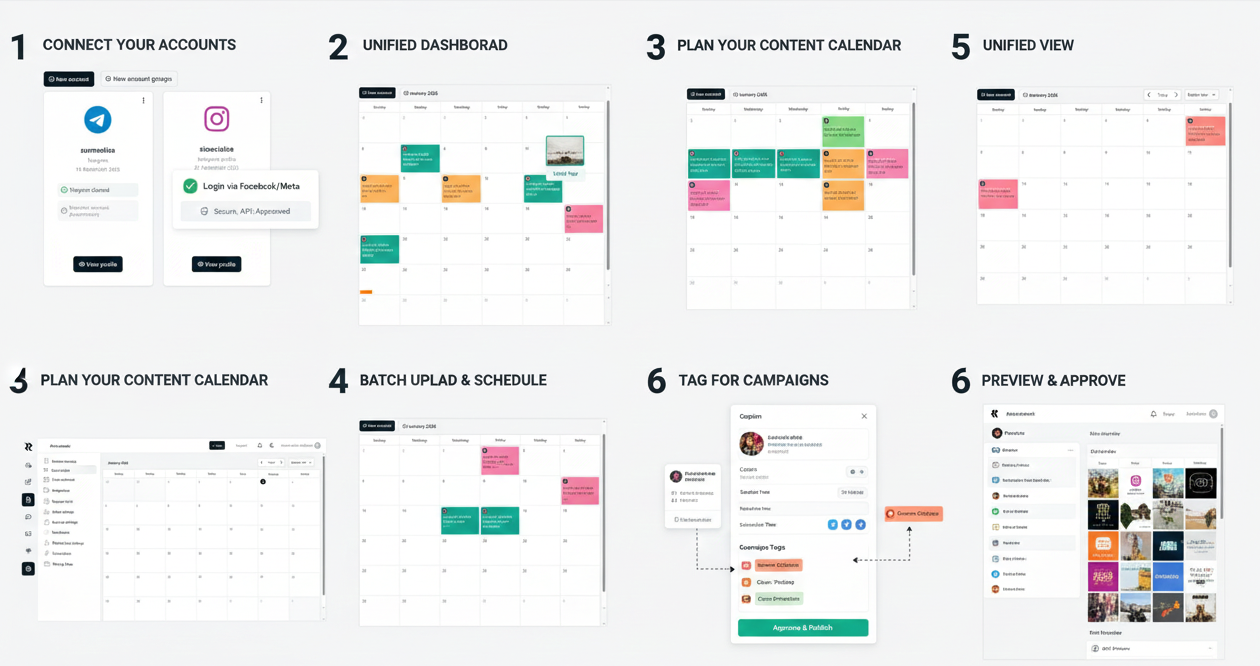
6 simple steps to automate your Instagram workflow and manage 5+ accounts effortlessly
It’s that simple! Your entire month’s content is planned in under an hour.
Beyond the Scheduler: Managing the Engagement
Having multiple accounts means increased engagement from multiple sources, including DMs, comments, mentions, etc. Manually checking each profile for messages or comments/mentions is very time-consuming and will ultimately result in missed opportunities. With Resont, all of this information is available in one centralised place with the option to respond and monitor all engagement from one app without switching between apps to respond to messages or comments/ments or risk delayed replies due to switching apps.
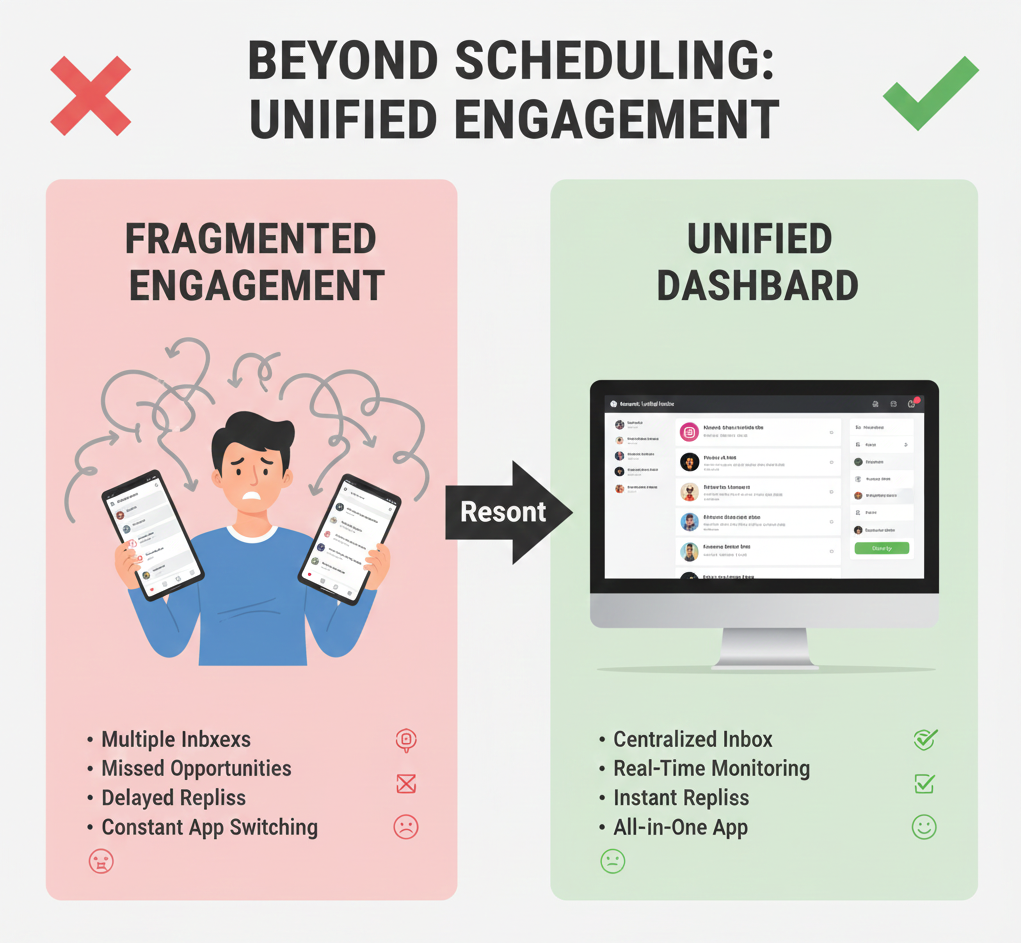
Never miss a message: Manage DMs and comments for all accounts from one centralized inbox
Conclusion
In conclusion, utilizing a scheduling tool such as Resont allows you to improve your productivity and reduce your risk with managing multiple Instagram accounts while keeping everything organized in one place. A unified dashboard makes it much easier for you to manage the many features available to you when scheduling your Instagram posts such as batching and time zone management. Utilize these features to simplify and maximize your Instagram marketing efforts.
FAQs
Q: Is there a limit to how many Instagram accounts I can schedule for? A: While the Instagram mobile app generally limits you to 5 active logins, professional Instagram scheduler tools like Resont allow you to manage a significantly higher number of accounts, often upwards of 50 or more, all from one unified dashboard.
Q: Does scheduling posts decrease engagement? A: No, scheduling posts through official APIs like the Instagram Graph API (which Resont uses) does not decrease engagement. Consistent, timely posting often increases engagement.
Q: Can multiple team members manage the schedule without sharing passwords? A: Absolutely! Advanced social media management platforms offer team collaboration features, allowing multiple team members to access and manage the schedule without needing to share individual Instagram login credentials, enhancing login security.
Q: Can I schedule stories for multiple accounts too? A: Yes, many advanced Instagram scheduler tools, including Resont, allow you to schedule Instagram Stories for multiple accounts, further streamlining your content calendar and overall social media workflow.